Your team, urgency-sorted.
Open the Coach Hub before practice. In ten seconds you know who needs you, who's good, and who's missing — without scrolling, filtering, or guessing.
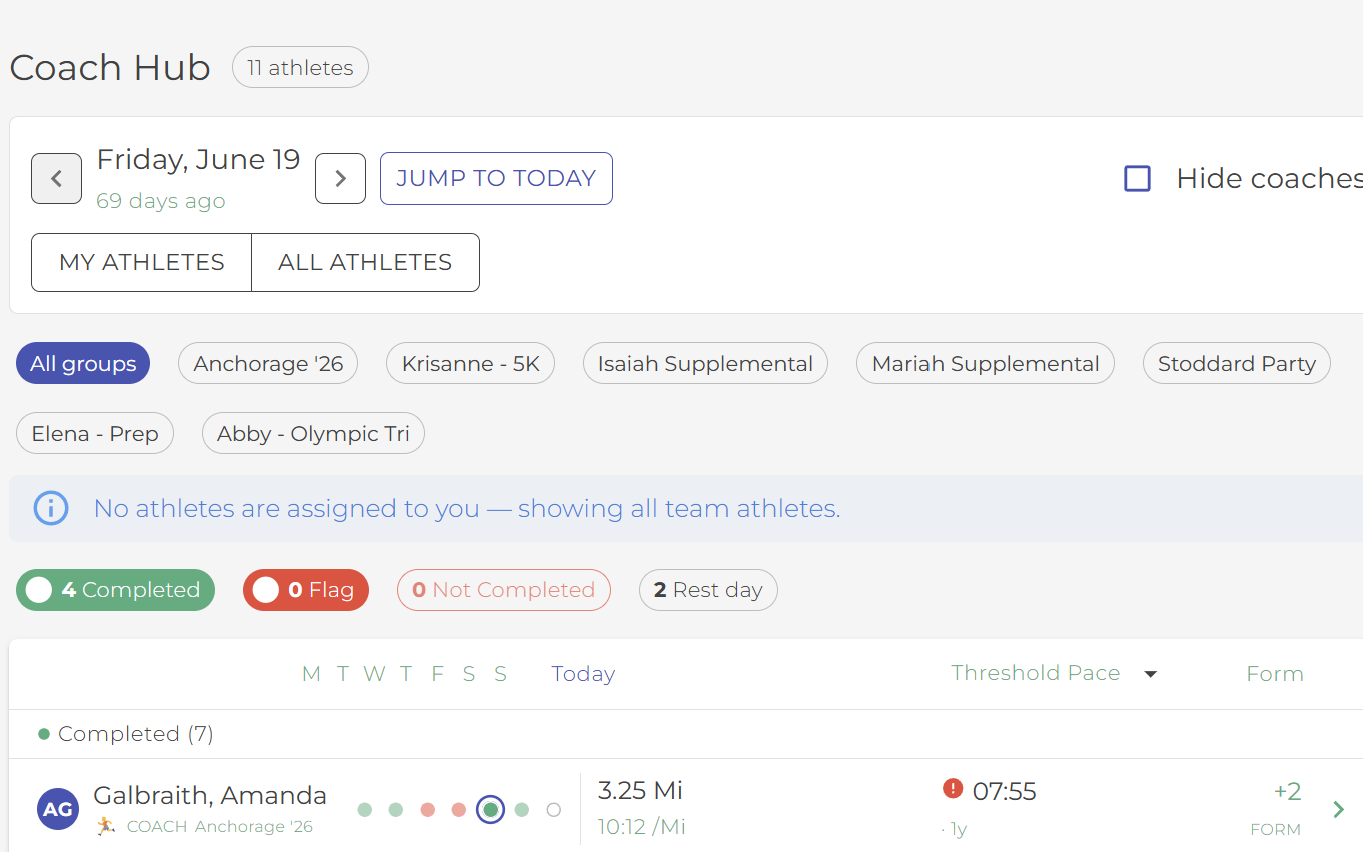
Coaching isn't a list. It's triage.
You don't open the app wondering what your athletes did last Tuesday. You open it asking who needs me first?
The Coach Hub answers that question before you've scrolled. Athletes are sorted by the urgency of your attention — not alphabetically, not by group, not by team join date. The order does the triage so you don't have to.
Five buckets, in the order they need you
Top of the list is what could go wrong if you didn't open the app today. Bottom of the list is what's already taken care of.
Flagged
Anyone you tagged as needing follow-up. Yesterday's pain report. The athlete you said you'd circle back with.
With notes
Athletes who left a note on a workout — a question, a flag, a heads-up. Unread badges keep you honest.
Completed
Today's session is done. Quick scan, move on.
Not yet completed
Workout assigned, not yet logged. Could be on schedule. Could be drifting. The week strip tells you which.
Rest day
Nothing assigned. Quiet rows go to the bottom — signal only when it matters.
One row. Everything you need to make a decision.
A name, a sport icon, and four signals built for the bandwidth you actually have. No drill-downs to spot a trend. No double-clicks to read what an athlete wrote.
7-dot week strip
The last seven days at a glance — green for done, amber for partial, dim for rest, red for missed. Patterns surface before problems do.
Today stat — sport-aware
Kilometers if they ran, minutes if they swam, watt-hours if they rode. Smagpie picks the right number for the day's sport so you don't translate.
Form score column
Accumulating fatigue gets a number you can act on. Spot the drift before it becomes a conversation.
Who ran it too hot
A small arrow beside Form flags a run, ride or swim that went well over plan (red) or under it (blue), on load or intensity. Hover or tap for the numbers. Everyone who did what you planned stays quiet.
Training-log line
Above the roll-call, one line says 7 / 12 · 5 to chase. Open it for who's submitted with their feel score, who hasn't, and a Remind button with your name on it.
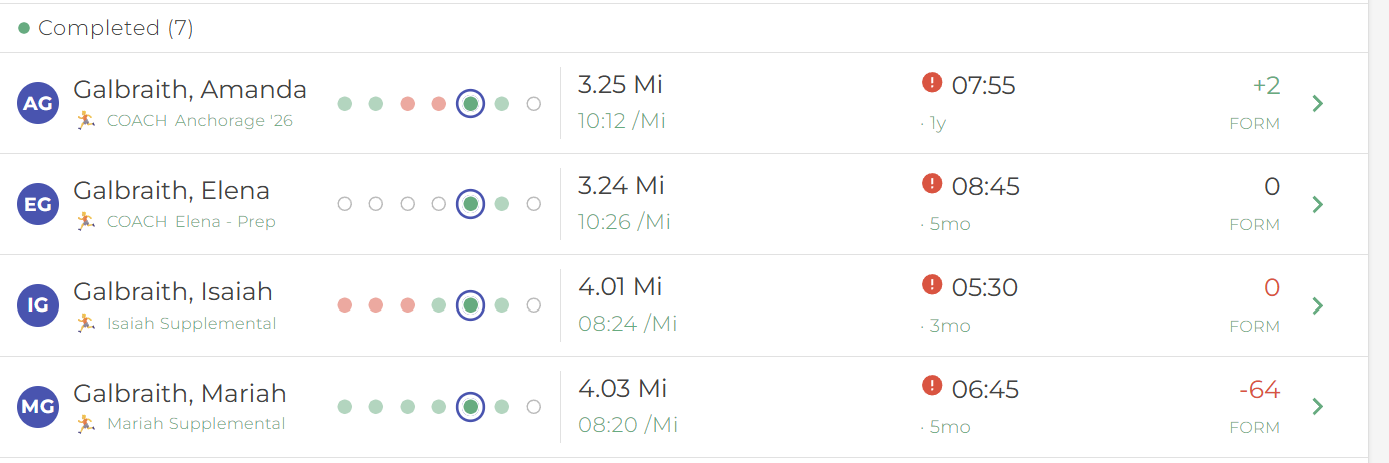
My athletes — or all of them — one tap apart.
On a multi-coach team you see your slice by default. The My / All toggle flips you to the whole roster when you're covering for an assistant or running a combined session.
Your preference sticks per device, so the next time you open the Hub you land where you left off.
The first slice of a larger workflow surface.
Today's Coach Hub is the urgency-sorted roll-call — the answer to "who needs me?" Coming next: a modular Coach's Daily Dashboard that adds "am I on track today?" (status zone) and "is my program healthy?" (insights zone), with coach-customizable modules per zone and smart defaults by team type. Same surface, more depth as your program grows.
Open the Hub before your next practice.
Always free for coaches. Brings every athlete on your roster into one screen, sorted by who needs you first.