Compliance
Did the plan become the training?
Smagpie scores every session against the one you wrote, raises the few that ran long, short, hot or easy, and warns you before a long run becomes a jump. Your team decides what “too far off” means, once.
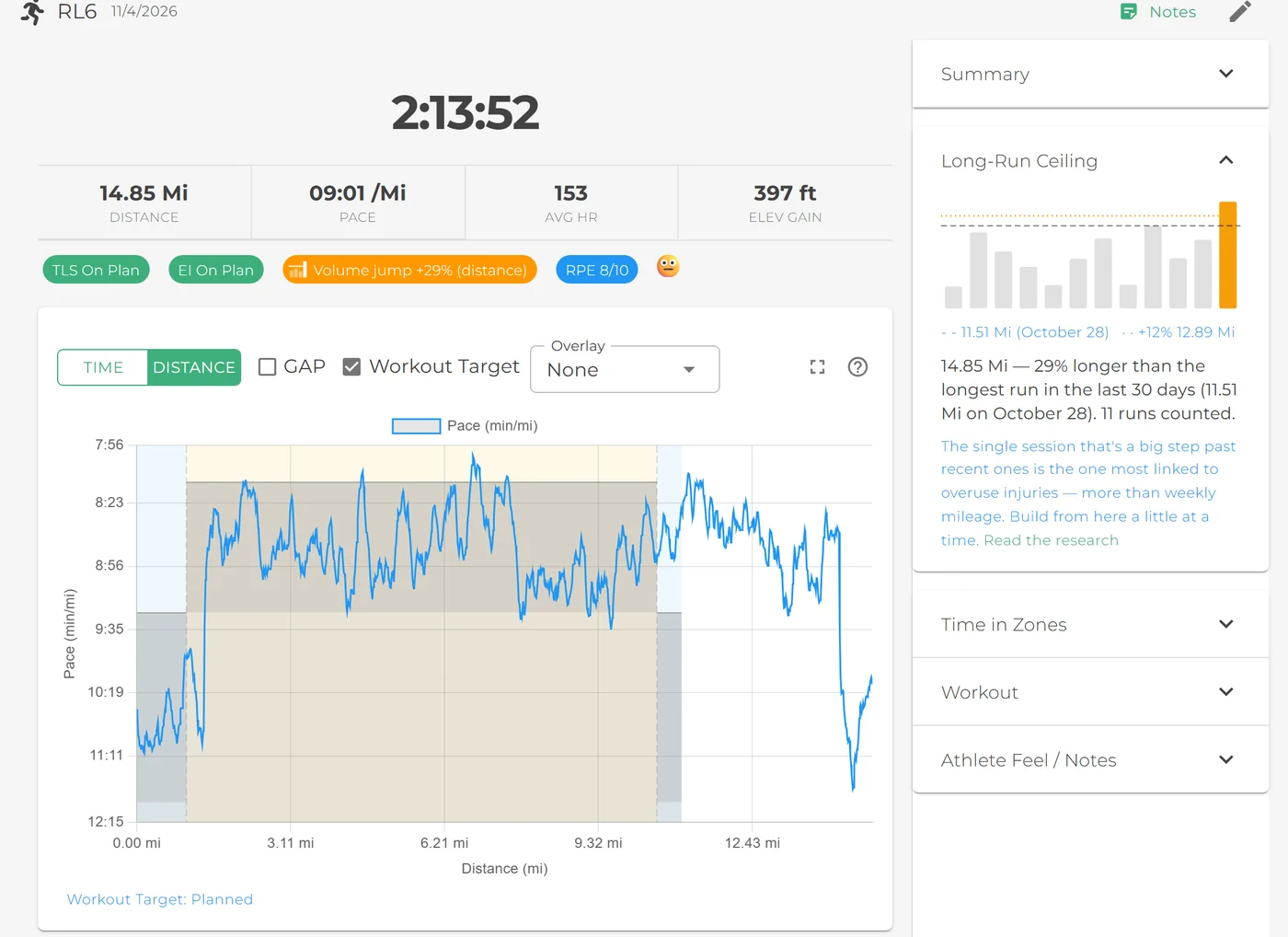
Three questions, every session
“Compliance” sounds like paperwork. Here it’s three plain questions about the workout you wrote.
Load: did they do the work?
Every session is scored by the training load they did against the load you planned. Within 10% is green, within 20% is yellow, beyond that is red. Runs, rides, swims and strength sessions each get their band.
Intensity: did they do it at the right effort?
For runs, rides and swims, Smagpie compares how hard the session was against how hard you wrote it. More than 10% above or below plan is flagged: one training zone is roughly 10%.
Volume jumps: was it a big step past recent sessions?
A run more than 12% longer than the athlete's longest in the last 30 days, or a ride more than 25% longer by time, is a volume jump: the single session the largest running-injury study linked to overuse injuries.
From the plan to the finish line
Where it shows up in your week.
-
1 You plan it
The warning comes before you assign it.
Add Saturday's long run and Smagpie checks it against every athlete's last 30 days, counting the sessions they've done and the ones already on the schedule. If it would be a jump for some of them, an amber line says how many, and you can open it for the names.
The Team Schedule badges any session that's a jump for someone. Nothing is blocked: you can still save it, or give those athletes a shorter version.
How volume jumps work →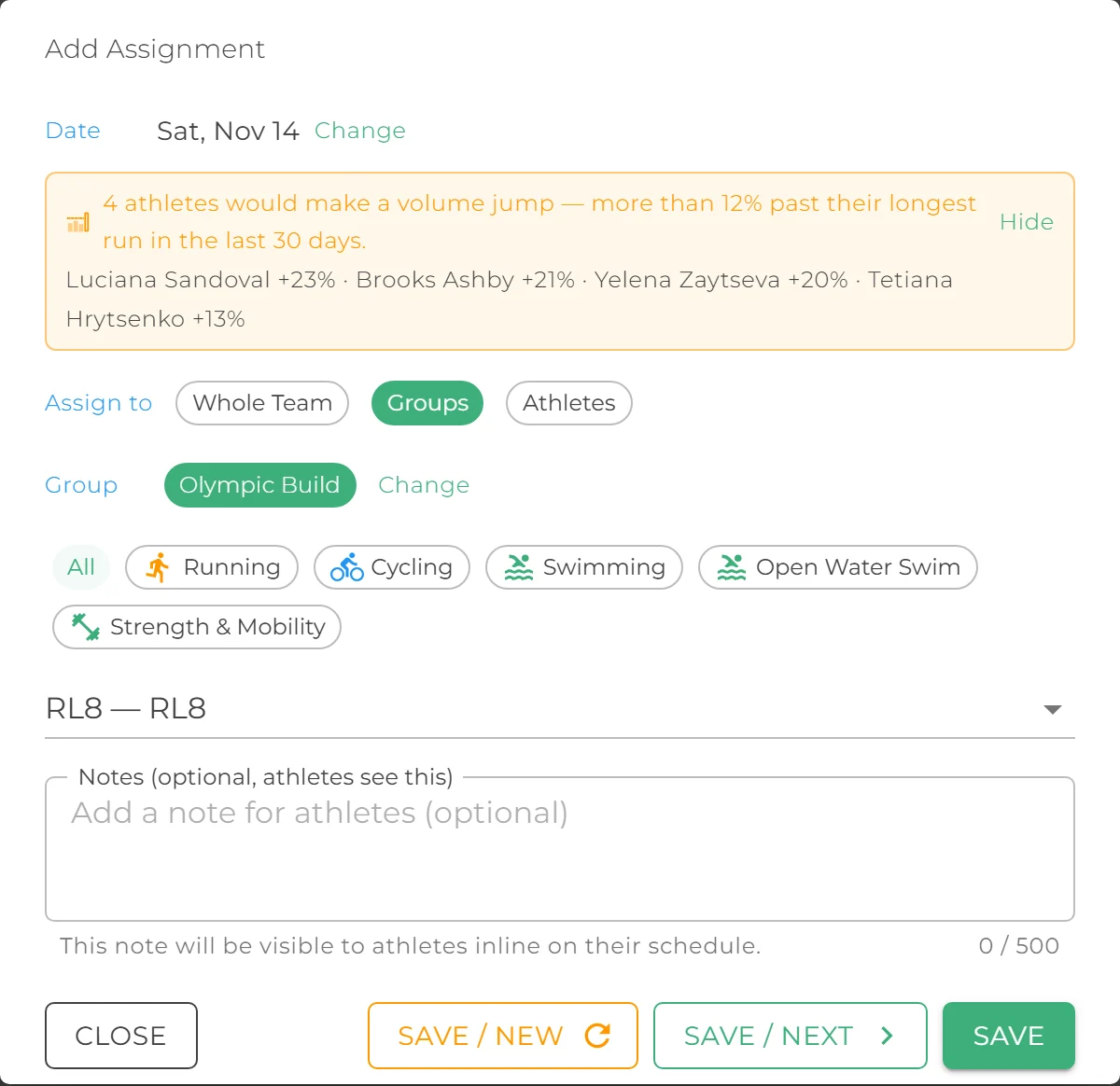
Adding Saturday's long run: four athletes would make a jump. Save stays enabled. 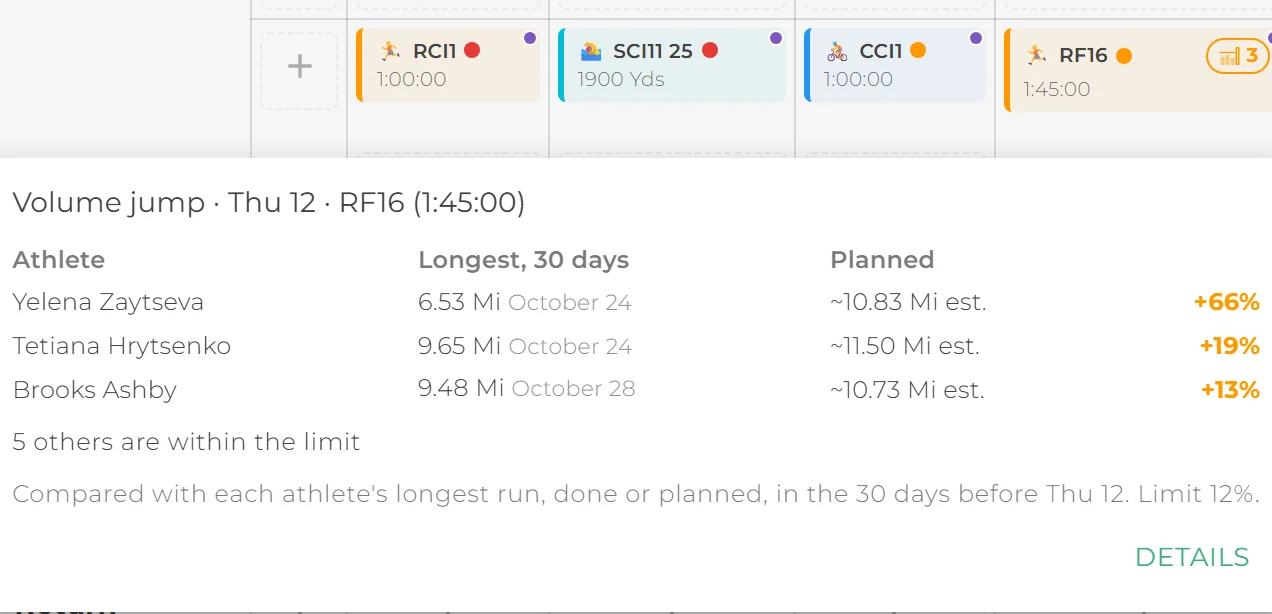
Already on the schedule: the badge opens the names, biggest jump first. -
2 They do it
Athletes see how close they came.
When the workout syncs from their watch or trainer, each athlete sees their session scored the same way you do: a training load (TLS) pill for how much they did and an effort intensity (EI) pill for how hard, each green, yellow or red with how far off plan it was.
The recovery run that drifted to tempo pace says so, in their own numbers. Volume-jump flags stay between you and your coaches unless you choose to show athletes their own.
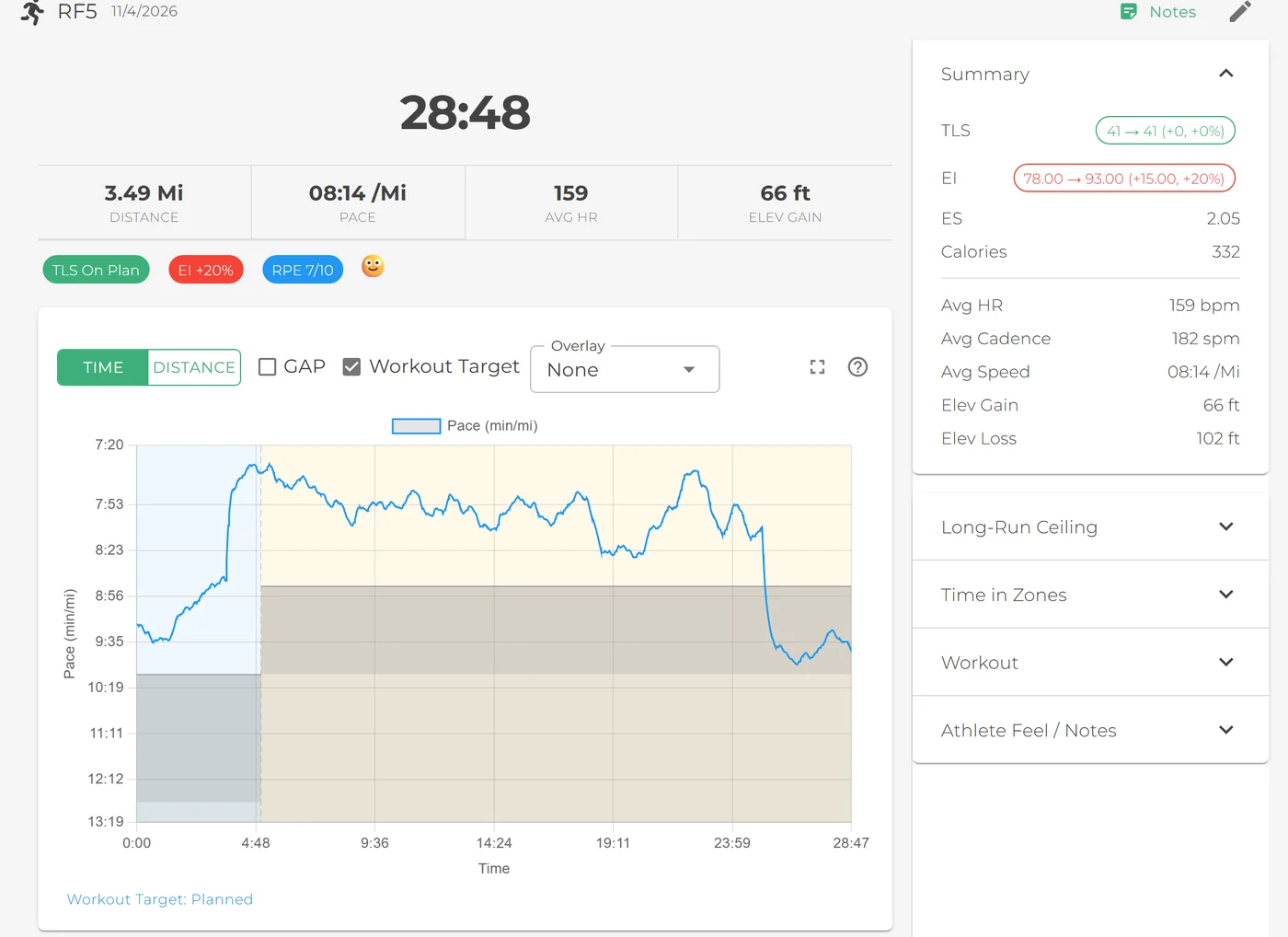
Load on plan, effort 20% over: an easy run that wasn't. -
3 You see it
The Hub raises the few that went off plan.
Monday morning, the Coach Hub has already read the weekend. Athletes who ran the plan stay quiet. Everyone else carries a marker on their row, and each marker answers a different question:
- Too much: the long run went three miles past what you wrote, or the easy spin became a three-hour ride. Training load over plan.
- Too little: cut short, or the back half skipped. Training load under plan.
- Ran it hot: the recovery day at tempo pace, the intervals pushed a zone too high. Effort intensity over plan.
- Ran it easy: the threshold session that turned into a jog, the repeats that never got hard. Effort intensity under plan.
- A big step up: one session well past their longest in the last month. A chip filters the list to just these. How volume jumps work
Hover a marker for the numbers, then follow it down. The athlete's row opens their week, every session banded green, yellow or red. The off-plan session opens the workout itself, with the same pills, the Summary and the chart. Two clicks from a marker to what happened.
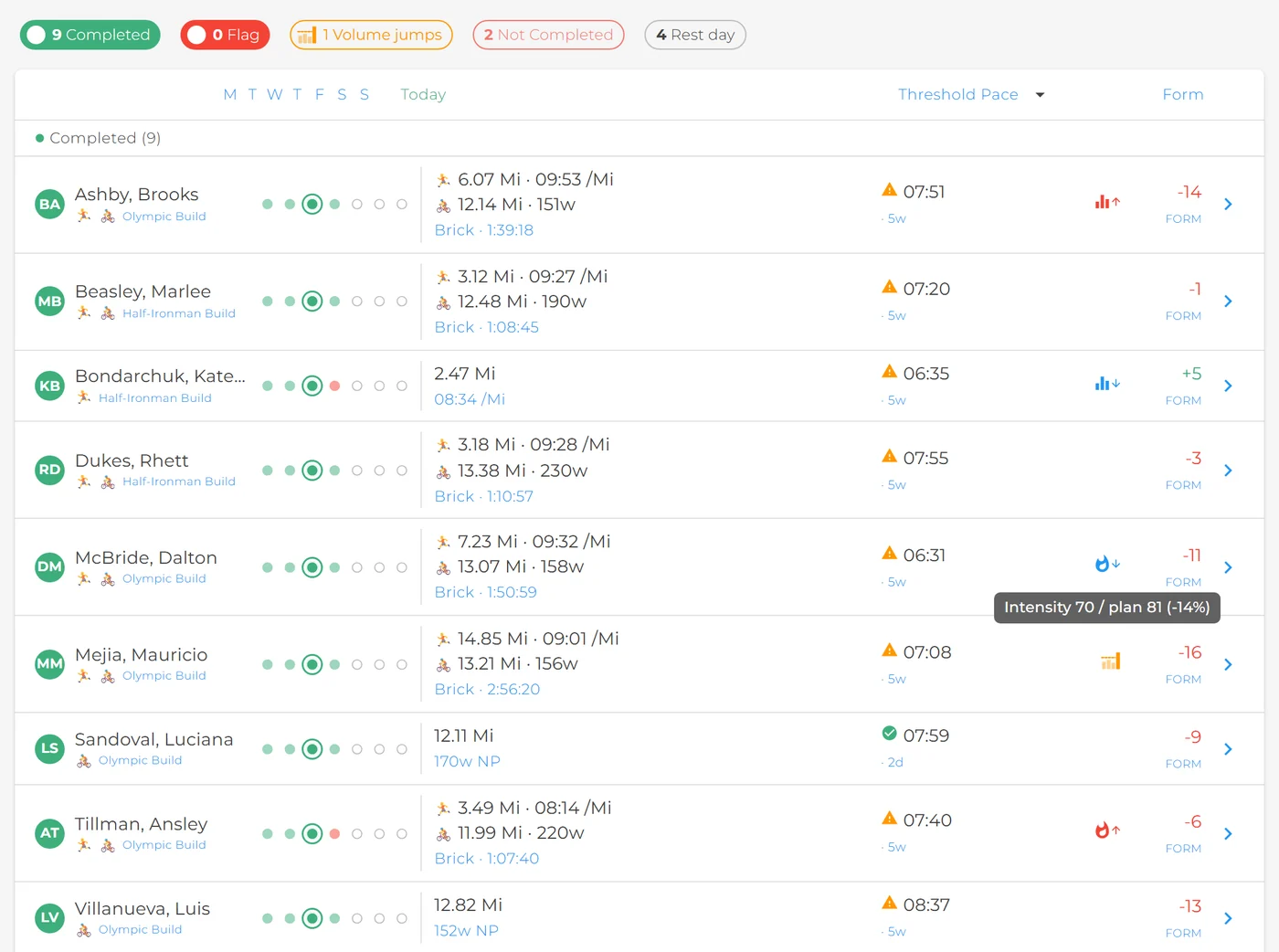
1. The Hub on Wednesday. Dalton's marker says he ran it easy: intensity 70 against a plan of 81. 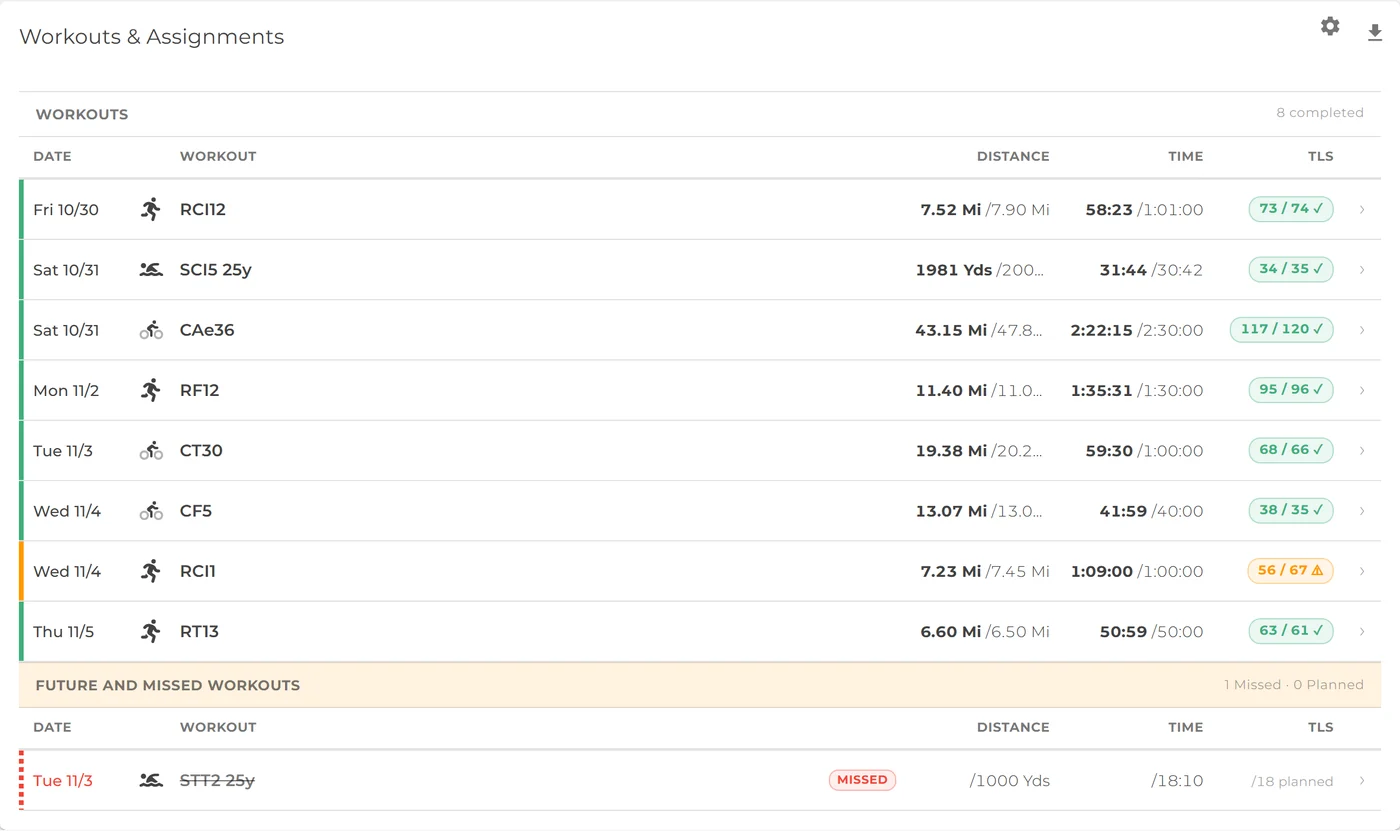
2. His row opens his week: on plan, apart from one yellow session. 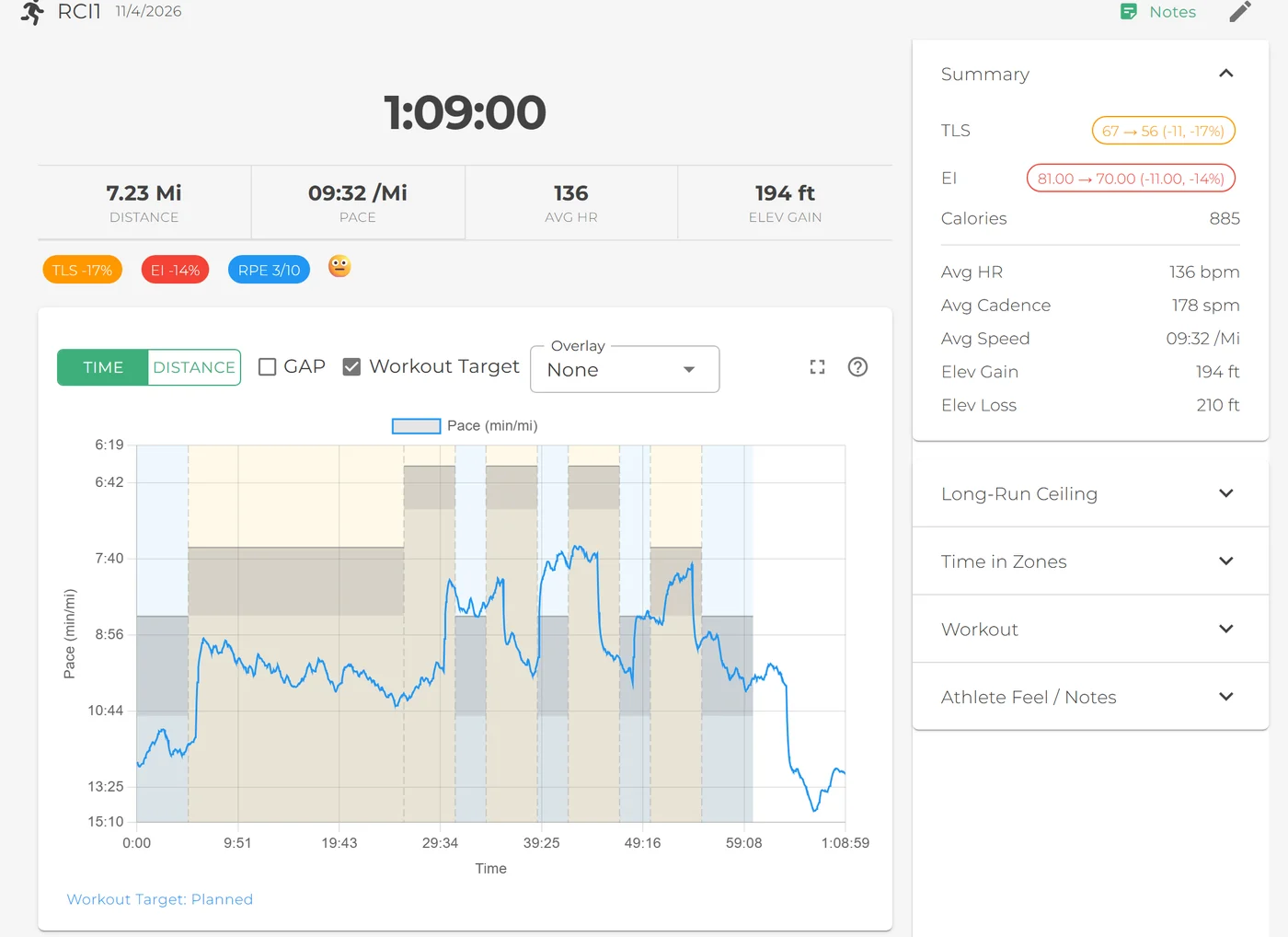
3. The session: load 17% under plan, effort 14% under, and the chart shows each repeat against its target. -
4 You tune it
One tab decides what "too far off" means.
Set your team's green and yellow tolerances for endurance and strength, the intensity tolerance, and the volume-jump limits for running and cycling. The whole app follows your numbers: the Hub, the workout list, the workout detail, strength sessions and the dashboard.
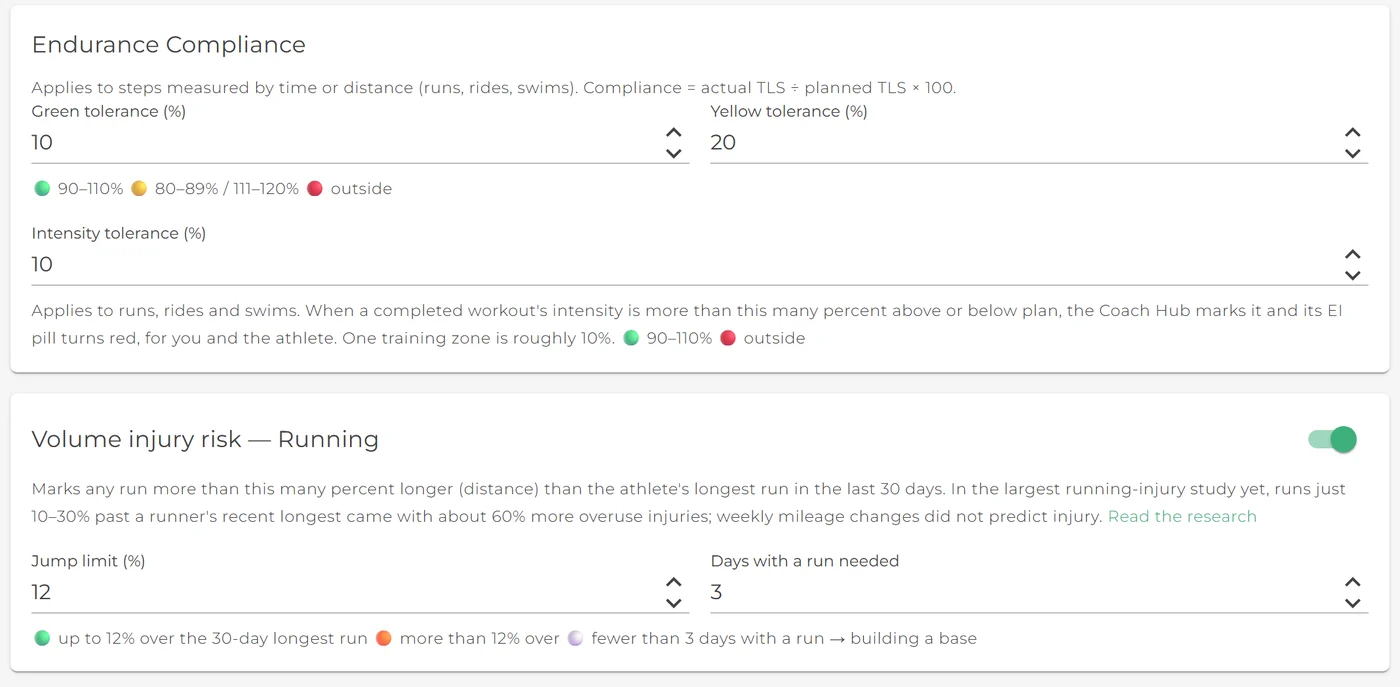
Set it once, for your team
Everything lives on the Compliance card in Team Settings. These are the defaults; change any of them and every surface in the app uses your numbers.
| Setting | Default |
|---|---|
| Endurance tolerancesRuns, rides and swims, by training load. | Green within 10%, yellow within 20% |
| Strength tolerancesStrength sessions, by training load. | Green within 10%, yellow within 20% |
| Intensity toleranceAbout one training zone, above or below plan. | 10% |
| Running volume jumpPast the athlete's longest run in 30 days. On by default. | 12%, by distance |
| Cycling volume jumpIndoor and outdoor rides count the same. On by default. | 25%, by time |
| Building a baseWith that sport in 30 days: shown grey, not flagged. | Fewer than 3 days |
| Athletes see volume jumpsTurn on to show athletes their own flags. | Off |
New athletes aren’t flagged for starting.
A freshman with two runs in the last month has no “longest run” worth measuring against. Until an athlete has run on three different days in 30, Smagpie shows them as building a base: a grey note, not an amber flag, so the first weeks of a season don’t light up the Hub.
Find out if the plan became the training.
Always free for coaches. Write one workout, send it to the team, and see who ran it the way you meant.