Exercise Library
A library of strength, scaled to every athlete
Define a strength workout once. Smagpie auto-scales weights to each athlete’s 1RM and drops the session onto their schedule — right alongside their endurance training.
Barbell Back Squat
Compound lower-body lift driving quadriceps, glutes, and hamstrings. Fundamental pattern across almost every strength program.
Muscle Groups
Measurement
Weight & Reps
Demo image included. Add your own video.
How it works
Four steps from an empty library to a strength session on every athlete’s schedule.
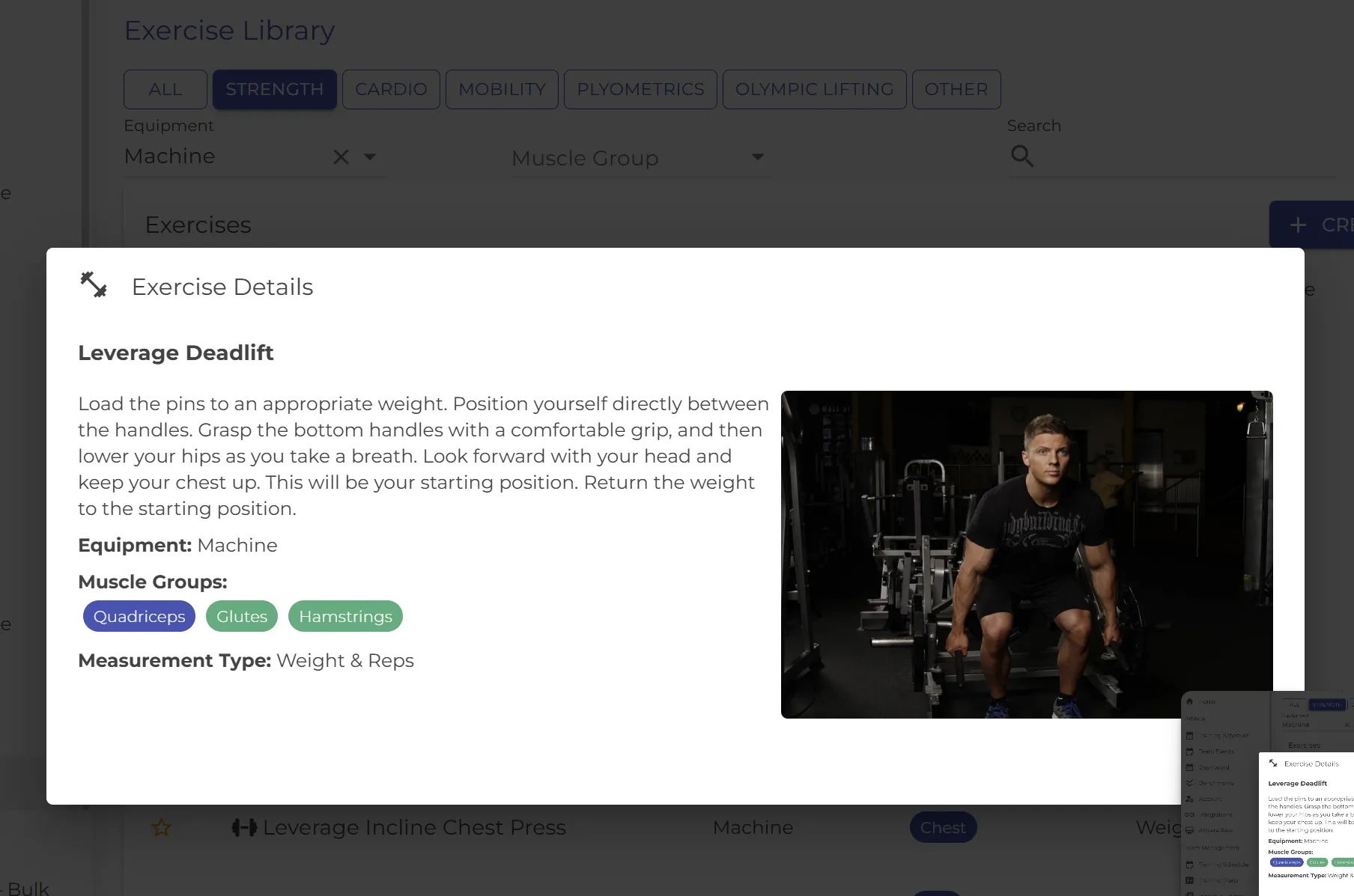
800+ curated exercises with demo images
Strength, cardio, mobility, plyometrics, olympic lifting, and more. Filter by equipment or muscle group. Every library exercise has a short description, numbered instructions and a demo image, so athletes know the movement before they lift. Coaches can add their own exercises, with demo video.
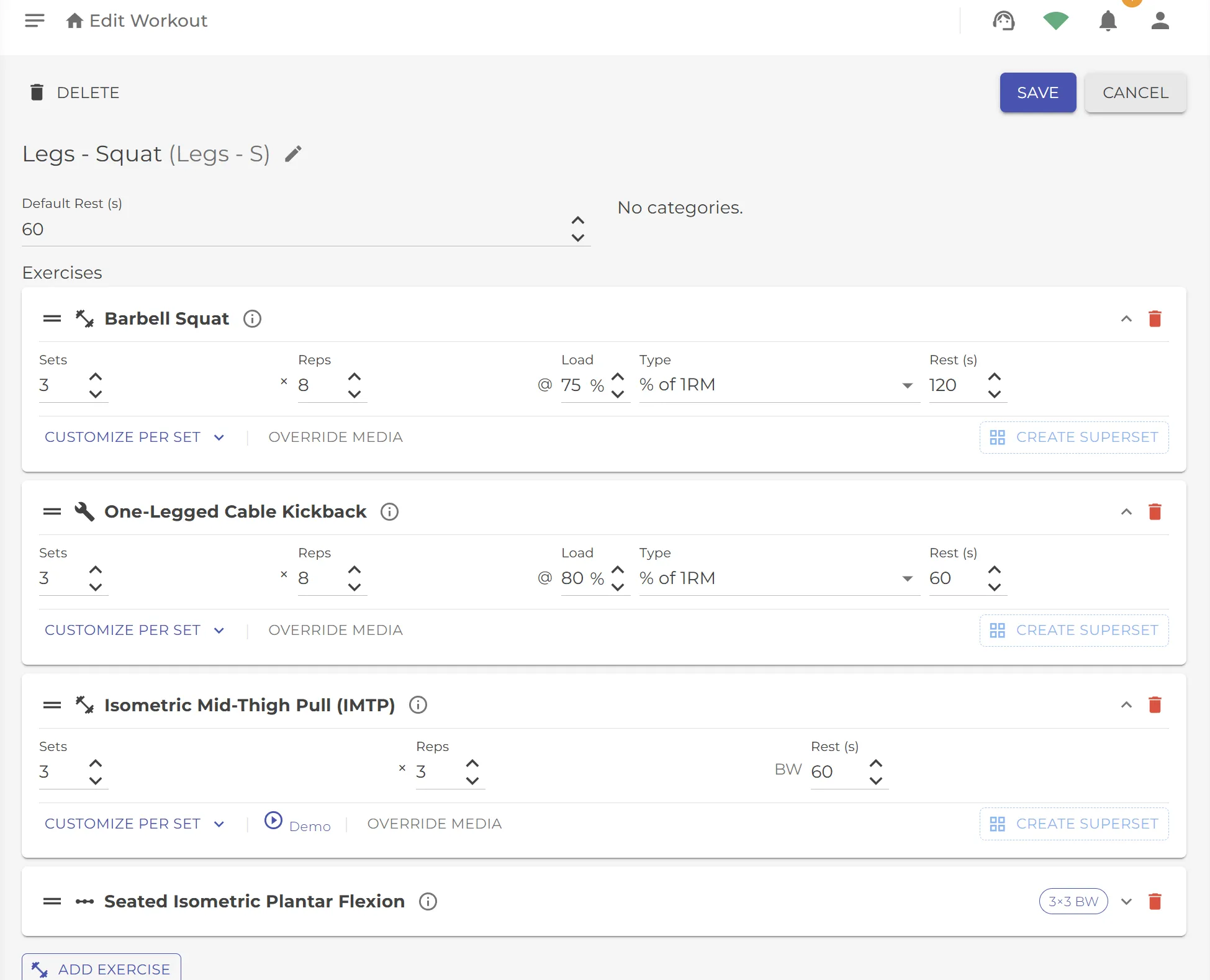
Build a workout like a coach actually thinks
Sets, reps, load as % of 1RM or absolute weight, rest targets, RPE. Group exercises into circuits using the same repeat pattern as your interval workouts. Customize per set for drop-sets and back-off sets.
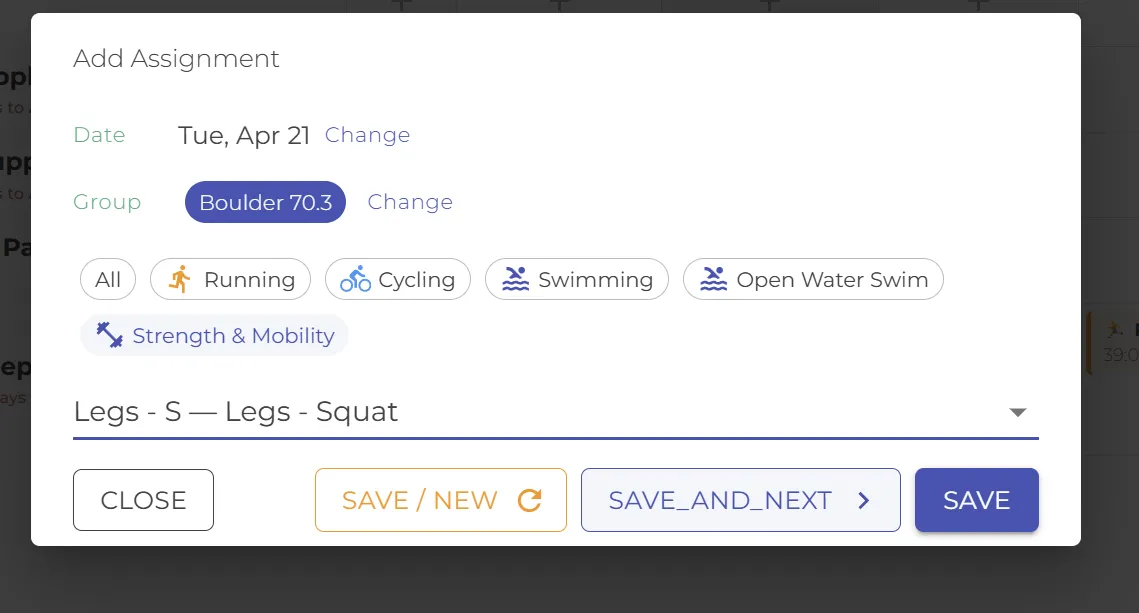
Drop it on the calendar, same as any workout
Assign to the whole team, a training group, or individual athletes. The same assignment flow as your running, cycling, and swimming workouts — one calendar for every discipline.
Strength and endurance, side by side
The session lands on the team schedule alongside every other discipline. Each athlete sees their prescribed weight — auto-scaled from their own 1RM, not the coach's demo numbers.

What makes this different
Strength and endurance, one weekly view
Most platforms treat strength and endurance like separate apps. Smagpie treats them as one training picture — strength sessions contribute to the same weekly load chart as your runs, rides, and swims.
That’s the chart that prevents overtraining. And it only works when every discipline lives in the same calendar.
For coaches
Program strength the way you already think
The composition tools match how coaches actually plan strength work — structured, relative to each athlete’s current capacity, and flexible enough for real gym realities.
Structured, not generic
Not “3 sets of 10 squats.” Capture the real session plan — load, reps, rest, RPE, tempo — with enough structure that the athlete knows exactly what to do.
Circuits
Group exercises to cycle through. Same repeat-block pattern you already use for running intervals and cycling sets.
% of 1RM or absolute weight
Program in percentages and every athlete sees their own calculated weight. Drop to absolute numbers when an athlete is still finding their baseline.
Customize per set, add your own video
Back-off sets, drop-sets, per-set variations. Attach your own coaching cue video to any exercise in a workout when the movement needs your voice.
Team picks from the weight room
Star an exercise from the Session Tracker, between sets if you like. Your athletes see it first under Coach’s picks, marked New for 14 days.
Your own exercises, written up
Add a short description above your step-by-step instructions. On Team Premium, tap Write and Smagpie drafts it for you to edit. Upload up to two photos and link your own demo video too.
For athletes
Your weights, your schedule
Strength sessions arrive on your calendar the same way every other workout does — with everything you need to train confidently.
Weights scaled to you
When the coach writes “squat at 75% 1RM,” you see the number that matches your 1RM — not someone else’s math.
Demo images across the library
Never guess a movement pattern. Tap any exercise to see the demo image and instructions, plus your coach’s video when they’ve added one — built into the library, not a separate tab.
On the same schedule
Strength sessions appear on your calendar next to your runs, rides, and swims. One schedule, one plan.
Session Tracker
Log every set on your phone
Rest timers, what you lifted last time and 1RMs, right in the weight room. Find any exercise in a few letters (“db press” works), or browse by body part and equipment. Your coach sees every set. Logging needs an Athlete Pass. How the Session Tracker works
Built on an open foundation
An open library, curated for coaching
Smagpie’s exercise library starts from two open-source, public-domain datasets maintained by the fitness-dev community. We curate for coaching use, pair each exercise with measurement types (reps, weight, time, RPE, %1RM), and extend with sport-specific additions. Coaches can add their own custom exercises on top.
Primary dataset
exercises.json
The original open exercise dataset by Ollie Jennings. Public-domain under the Unlicense.
github.com/wrkout/exercises.json →
Curated fork
free-exercise-db
800+ exercise curation by yuhonas with instructions and imagery. Public-domain under the Unlicense.
github.com/yuhonas/free-exercise-db →
800+
Curated exercises
6
Top-level categories
Tags
Muscle & equipment
Open
Public-domain base
Ready to program strength with your team?
Coaches always free. No credit card. Build your first exercise workout in minutes — and watch it land on every athlete’s schedule.